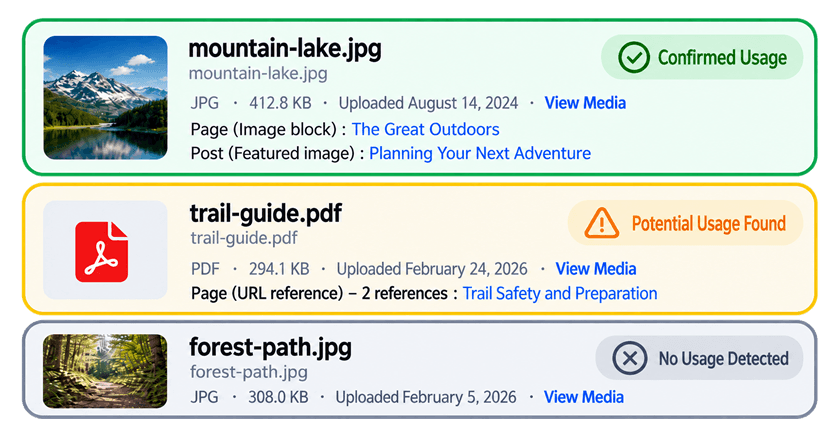

Built for better media investigation.
Explore the tools behind My Media Forensics, from detailed media inventories and flexible search to reference detection and the evidence behind every finding.
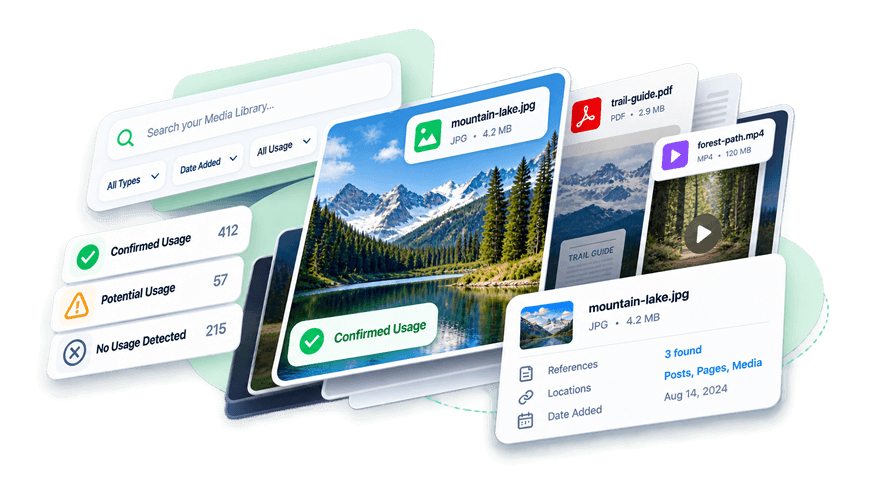
Forensic Inventory
Start with the big picture.
My Media Forensics begins by indexing the files registered in your WordPress Media Library, giving you an immediate overview of its size and composition.
See how many files your library contains and how they’re distributed across different formats, including images, PDFs, videos, and more. The inventory also records when it was last examined, with the option to refresh the results as your library changes.
- Total files in inventory
Files examined - File types
Format breakdown - Last examined
Inventory timestamp - Refresh Inventory
Run a new scan
Search, Filter & Sort
Organize your findings.
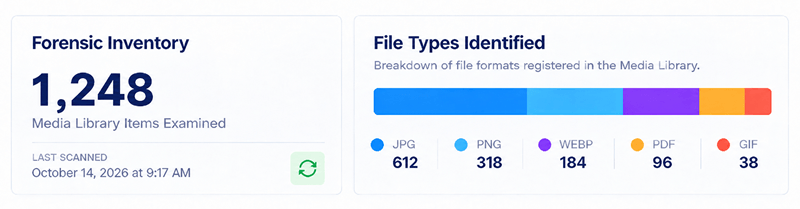
Search, filter, and sort your Media Library to quickly find the files you want to investigate.
- Search Media
Find files by name. - Flexible Sorting
Sort by name, size, file type, or upload date. - Filter by File Type
Narrow results by format. - Results Per Page
Control how many files appear at once.
Forensic Evidence
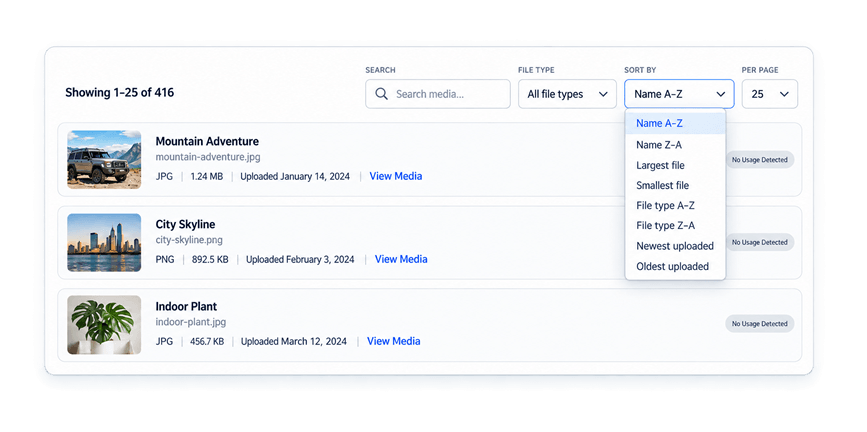
Classify your media by detected usage.
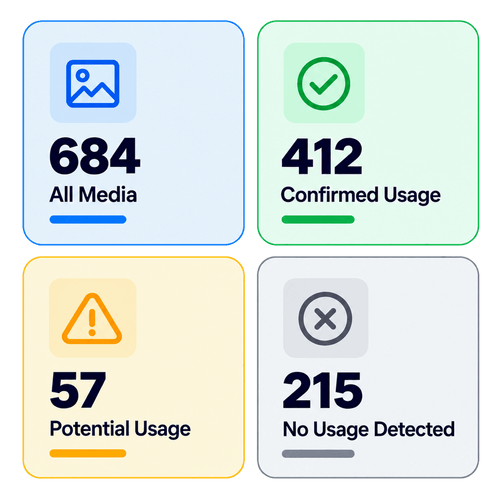
Detected references are evaluated and grouped by usage classification. Each result shows the level of evidence available, helping you identify files with recognized references, possible usage, or no references found within the supported sources.
Usage classifications

All Media
View every file included in the investigation.

Confirmed Usage
Files with verified references in supported WordPress content.

Potential Usage
Files with evidence suggesting they may be in use and deserve further review.

No Usage Detected
Files without detected references in supported sources. This does not confirm they are unused.
Detection Coverage
Look beyond the Media Library.
WordPress media can be referenced throughout a website, often in places the standard Media Library doesn’t reveal. My Media Forensics examines supported content sources and integrations to uncover those connections.
Free
Core usage detection
Start with evidence available from native WordPress sources.

Posts & Pages
Standard content references

Site Editor
Block theme editing references

Site Identity
Branding references
Pro
Expanded usage detection
Core usage detection plus broader detection across additional content types and supported integrations.

Custom Post Types
References in custom content

Theme References
Theme-based media references

WooCommerce
Product, gallery, and store media

Custom Fields
Media in supported fields

Plugin Data
Plugin content references

Page Builders
Media in supported builder content
Evidence Details
See the references behind every finding.
Examine the references detected for each file, including their sources and available links to associated content. When multiple references are found, the evidence is brought together so you can investigate usage without searching through your site manually.
- Reference Sources
Identify where references were detected. - Multiple References
Review findings across different locations. - Usage Context
See how each file is referenced. - Direct Links
Open the associated content for further inspection.